
How to pay with a contactless card
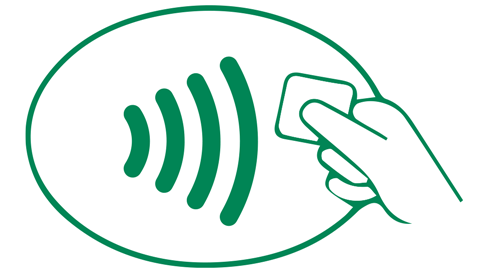
1. Look
Find the contactless indicator on the checkout terminal.
You can use your contactless debit or credit card anywhere you see this symbol on the checkout terminal.
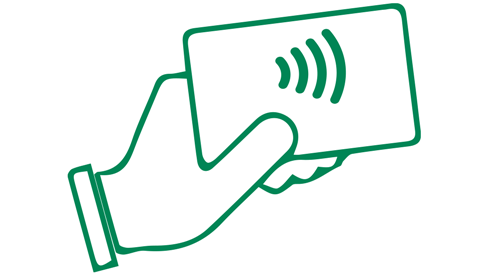
2. Tap
Hover or tap your contactless Citizens debit, credit card or business credit cards within a few inches of the contactless symbol.
You can also continue to swipe or insert your card.

3. Go
Just confirm your payment and you're all set.
(This only takes seconds.)
Why contactless?
Fast
The contactless feature only takes seconds to process, whether you use your card or device. You can't pay accidentally and you won't be billed twice — even if you accidentally tap twice.
Simple
When it's time to pay, hold your card or device within a few inches of the terminal, near the contactless symbol.
(Actual tapping is optional.)
Secure
Similar to a chip card, contactless payment transactions use a one-time security code that's unique to that transaction. This protects your payment information from being used for future unauthorized purchases.

Debit cards

Credit cards

Business credit cards
What to know about contactless card
Simply look for the contactless indicator on the front of your card (it looks like a sideways WIFI symbol). 
You can use your contactless card anywhere you see the contactless payment symbols. 
This includes fast food restaurants, gas stations, convenience stores, pharmacies, stadiums and more. If you don't see the symbol, your contactless-enabled card can still be used by inserting your chip card or swiping at checkout.
Yes! Contactless/Tap to Pay payments offer the same security as EMV Chip transactions and they are backed by Citizens Zero Liability1 protection. This means you are not liable for purchases not made by you. We also offer 24*7 fraud protection and monitoring to help keep you safe.
You can't pay accidentally. Cards must be 1-2 inches from the payment terminal and you won't be billed twice, even if you accidentally tap to pay twice.
Contactless payments use short-range wireless technology to make secure payments between a contactless card or payment-enabled device and a contactless-enabled checkout terminal. Customers can tap their card near the contactless symbol , and their payment is sent for authorization. Contactless cards also come with a chip and magnetic stripe, so you can insert your card or use the magnetic stripe if a terminal is not yet contactless-enabled.
You can still transact by swiping or inserting your card at check out, we’ve simply added contactless payments as a new and easier way to pay.
If you have more than one contactless card in your wallet, you should remove the specific card you would like to use rather than tapping your wallet against the reader.
Yes, if you add your contactless card to your digital wallet, you can tap to pay anywhere you see the contactless symbol displayed on a merchant terminal.
© Citizens Financial Group, Inc. All rights reserved. Citizens Bank, N.A. Member FDIC
† For additional information, please click the † symbols throughout this page to view our checking disclosures.
The Contactless Symbol and Contactless Indicator are trademarks owned by and used with permission of EMVCo, LLC.
Mastercard and the circles design are registered trademarks of Mastercard International Incorporated.